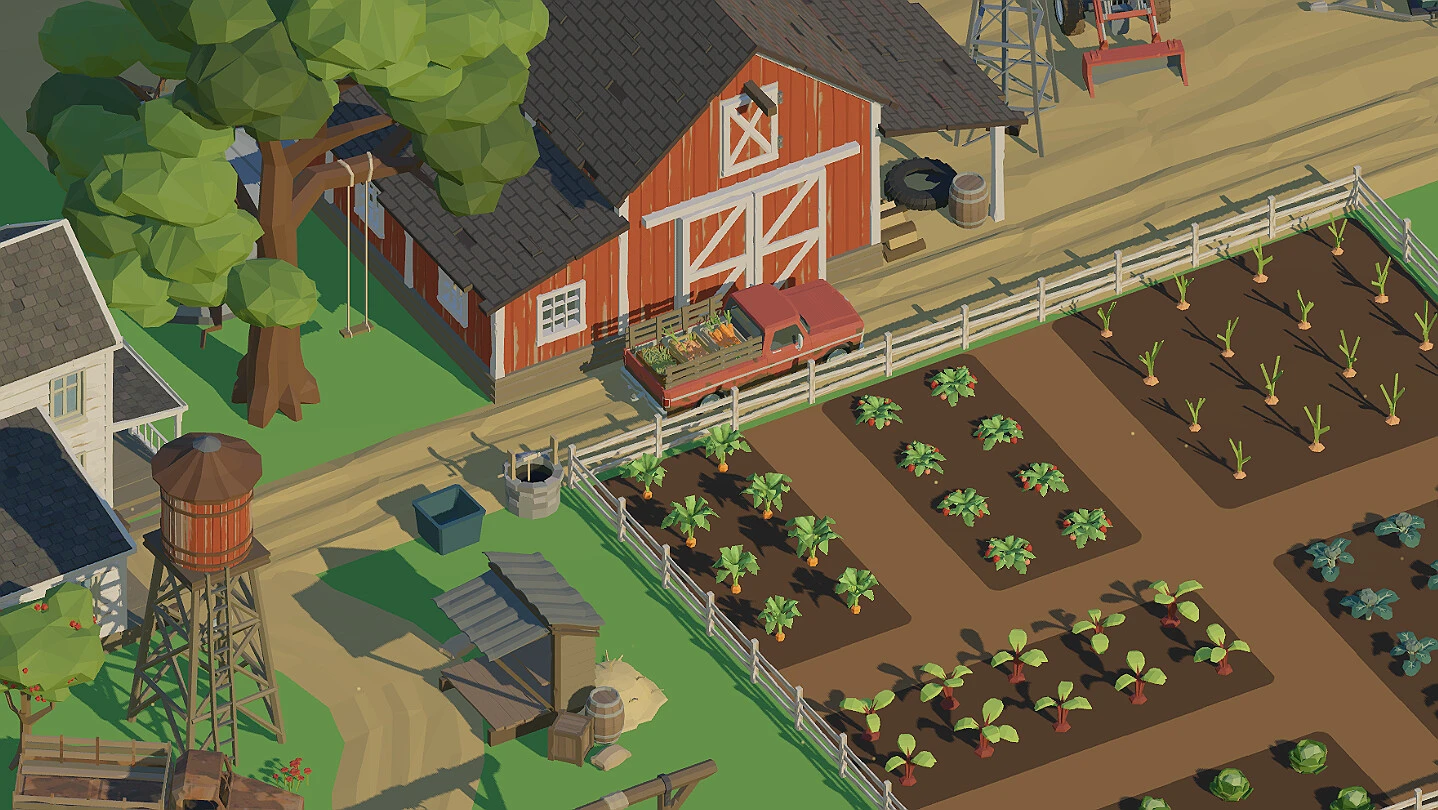
- Farm to Fortune launched on Steam on October 30, 2026, with a free demo available.
- Core loop: plant, harvest, sell, reinvest into tools and land expansion.
- Widget Mode supports background play while you work in another app.
- Supports 30 languages, with a 282 peak concurrent player count near launch.
- Best suited for fans of relaxed, low-pressure farming simulators.
Farm to Fortune Player Review Overview
This Farm to Fortune player review breaks down what the game actually delivers now that it has officially released. Developed by Ctrl Alt Defeat and published by Delayed Victory, the game arrived on Steam on October 30, 2026, and offers a free demo for anyone who wants to test the loop before buying. You can check the official Steam store page for current pricing and discounts.
The game positions itself as a relaxing farming simulator: grow crops, sell harvests, upgrade tools, expand land, and complete tasks. Early community activity on the Steam Community Hub has been modest but engaged, with a 282 peak CCU recorded near launch — a solid number for a small indie farming title in its first days.
| Review Aspect | Rating | Notes |
|---|---|---|
| Core farming loop | ★★★★☆ | Simple, satisfying, easy to pick up |
| Progression pacing | ★★★★☆ | Steady unlocks keep early game moving |
| Relaxation factor | ★★★★★ | Low pressure, good background play |
| Language support | ★★★★★ | 30 languages at launch |
| Content depth | ★★★☆☆ | Best for casual sessions, not min-maxers |
A separate demo listing exists on Steam. Play it first to confirm the loop matches your taste before purchasing the full progression experience.
Gameplay Loop Review
The heart of the game is a clean four-phase cycle that repeats across your entire playthrough. Reviews from early players consistently highlight that the loop stays readable even as your farm scales up.
Plant and Grow
- Use available plots
- Choose crops you can afford
- Keep reserve funds for the next cycle
Harvest and Sell
- Return when crops mature
- Sell produce at the shop
- Convert work into usable funds
Reinvest and Expand
- Buy efficiency upgrades first
- Expand land once income stabilizes
- Fill new plots immediately
| Crop Strategy | Growth Time | Sale Value | Best Stage |
|---|---|---|---|
| Fast-cycle crop | Short | Low per unit | Early game |
| Balanced crop | Moderate | Moderate | Developing farm |
| High-value crop | Long | High per unit | Established farm |
Most players agree the strongest part of the design is that fast early crops keep reinvestment frequent, so the first few hours rarely feel slow.
Progression and Upgrades: What Works
Player feedback on progression is largely positive. The upgrade path rewards improvements that touch your daily routine first, before pushing you toward expensive expansion.
Establish the Starting Farm
Work the initial plots, complete opening objectives, and build a reliable income source before spending on anything optional.
Build a Repeatable Routine
Keep every plot productive. Balance planting cycles with task objectives and save currency for meaningful shop purchases.
Buy Efficiency Upgrades
Prioritize tools and production speed upgrades that affect every cycle you repeat, rather than buying several minor options at once.
Expand Land Last
Unlock additional farmland only when existing plots are fully used and cash flow can support filling the new space immediately.
| Upgrade Tier | Focus | Buy When | Rating |
|---|---|---|---|
| Early | Tools and efficiency | Immediately reduces repeated effort | ★★★★★ |
| Mid | Growth speed and yield | Farm producing consistently | ★★★★☆ |
| Late | Shop improvements and land | Stable income, plots maxed | ★★★★☆ |
Avoid expanding into land you cannot fill. Unused capacity delays your next profitable cycle and is the most frequently reported early-game error.
Demo, Accessibility, and Background Play
A standout feature in player discussions is Widget Mode, which suits background running — you can monitor or manage the farm while working in another application. Combined with modest system requirements, this makes the game friendly for low-spec machines and multitaskers.
| Feature | Status | Reviewer Takeaway |
|---|---|---|
| Free demo | Available on Steam | Great for testing the loop |
| Widget Mode | Supported | Ideal for background play |
| Cloud saves | Check store listing | Confirm before long-term play |
| Controller support | Check store listing | Verify on the store page |
| Languages | 30 supported | Broad accessibility at launch |
The game supports English, German, French, Italian, Spanish, Japanese, Korean, Portuguese, Polish, Russian, and more — one of the wider language nets for an indie farming sim in 2026.
Verdict Checklist and FAQ
Use this checklist to decide whether Farm to Fortune fits your library.
Should You Buy? Check What Matters to You:
- You enjoy relaxed, low-pressure farming loops
- You want background play with Widget Mode
- You prefer steady progression over hard challenges
- You want to test the free demo first
- You play on a low-specification computer
Q: Is Farm to Fortune worth buying based on this player review?
For players seeking a relaxed farming simulator with a clean plant-harvest-sell loop, Widget Mode background play, and 30-language support, early reception is positive. Try the free demo on Steam to confirm the loop suits you before purchasing.
Q: When did Farm to Fortune release?
The Steam version released on October 30, 2026, developed by Ctrl Alt Defeat and published by Delayed Victory. A free demo is available through a separate Steam listing.
Q: What do players say is the best early-game strategy?
Plant fast-cycle crops to build cash flow, reinvest in tools and efficiency upgrades that affect every cycle, and only expand land once existing plots are consistently productive.
Q: Does the game support playing while working on other tasks?
Yes. Widget Mode is designed for background play, letting you monitor and manage the farm while using another application, which is a frequently praised feature in player feedback.
Farm to Fortune earns a solid recommendation for cozy-sim fans. It is not a deep management sim, but as a relaxed farming loop with demo access and background play, it delivers what it promises.