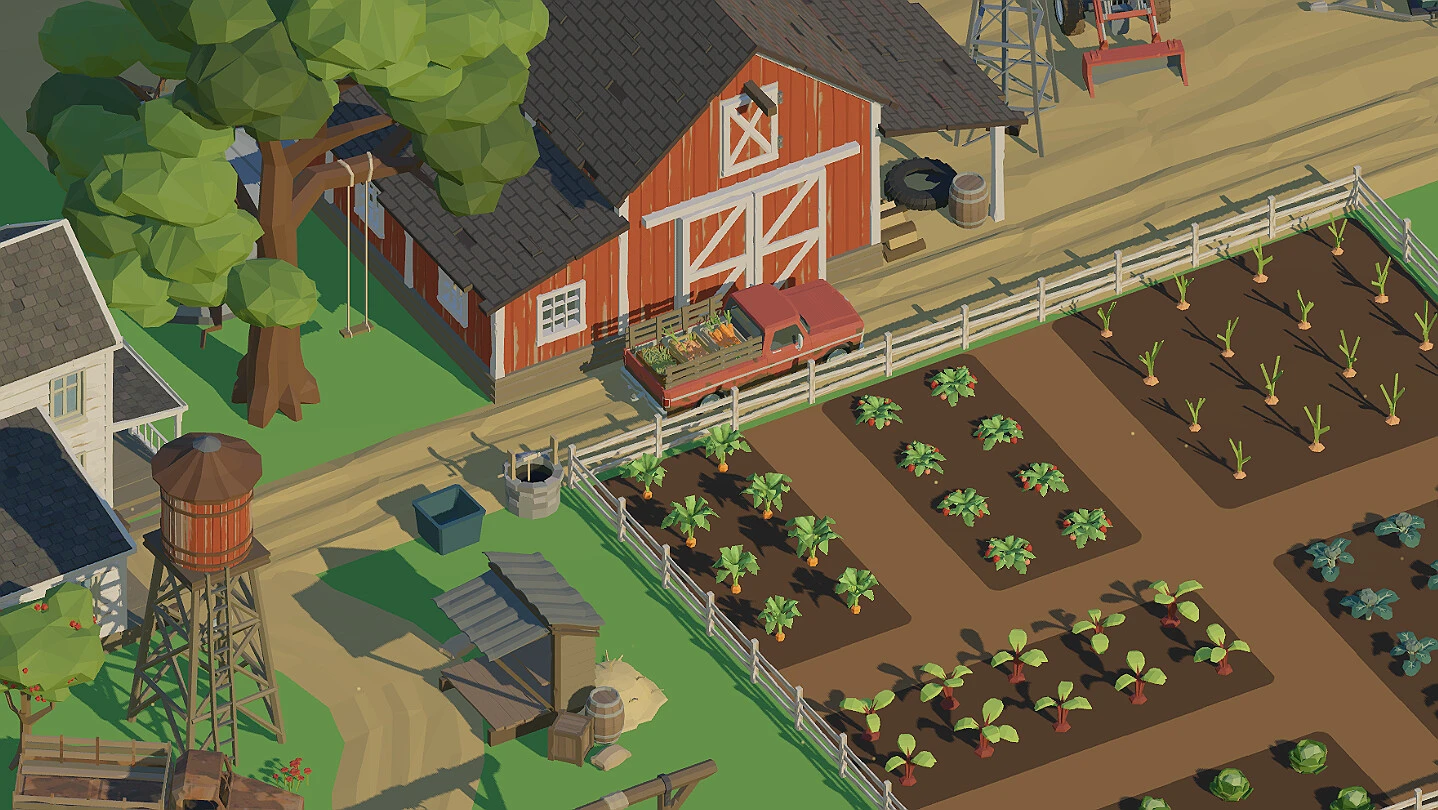
- Farm to Fortune demo: Use the dedicated Steam demo listing to try the core farming loop.
- Access method: Find the demo through its official Steam page rather than third-party downloads.
- Best first goal: Plant, harvest, sell, and reinvest before making larger purchases.
- Version difference: The full game is designed for longer progression, upgrades, and land expansion.
- Purchase check: Review the current Steam listing for availability, pricing, and release information.
Farm to Fortune Demo Access Guide
Farm to Fortune demo access is handled through Steam, with a separate listing for the trial version and a main store page for the full release. The demo is intended to let players experience the central farming cycle before committing to the larger progression experience.
Use the official Farm to Fortune Steam store page for the full game and the dedicated Farm to Fortune Demo listing when checking trial availability. Store pages can change, so confirm the current access button and platform information directly on Steam.
| Access Point | Purpose | What to Check |
|---|---|---|
| Main Steam listing | Full Farm to Fortune release | Current release status, price, languages, and system requirements |
| Dedicated Demo listing | Trial access | Availability, installation option, and supported features |
| Steam Community Hub | Player discussion and issue reports | Recent questions, updates, and troubleshooting information |
| Steam news feed | Official announcements | Demo changes, patches, and release information |
Official Steam Listing
Use the main store page to review the full game's current availability, supported languages, system requirements, and release details.
Dedicated Demo Page
The separate demo listing is the correct place to check whether the trial version can currently be added and installed.
Community Hub
Use Steam discussions for player questions, early troubleshooting, and practical feedback about the current build.
Avoid unofficial download pages or mirrors. Steam is the reliable access point for checking the current Farm to Fortune demo status and installation options.
What to Test in the Demo
The best way to evaluate the demo is to focus on the farming loop rather than trying to optimize every decision immediately. Farm to Fortune is built around planting crops, waiting for production, harvesting the finished produce, selling it, and reinvesting the resulting funds.
The demo should be treated as a practical test of the game’s pace and management style. Pay attention to how often you interact with the farm, how quickly the first production cycle develops, and whether the upgrade structure matches the type of progression you prefer.
| Demo Test | Why It Matters | Recommended Observation |
|---|---|---|
| Planting crops | Establishes the basic production rhythm | Check how clear the planting process feels |
| Crop growth | Defines the waiting and return cycle | Note whether growth pacing suits your playstyle |
| Harvesting | Converts time into usable resources | Confirm that completed crops are easy to identify |
| Selling produce | Creates the early income loop | Check how quickly funds return to the farm |
| Reinvestment | Shows the upgrade decision structure | Look for improvements that affect repeated actions |
| Farm expansion | Indicates longer-term progression | Confirm whether additional capacity feels worthwhile |
Start With Available Plots
Use the farmland already available at the beginning. Plant affordable crops without spending the entire starting balance, because keeping some funds available supports the next production cycle.
Wait for the First Harvest
Allow the initial crops to develop, then return when they are ready. This gives you a clear impression of the game’s activity rhythm and how much attention the farm requires.
Harvest and Sell
Collect the finished crops and convert them into funds through the selling process. This is the central feedback loop that connects farming activity with future upgrades.
Test One Useful Upgrade
Spend part of the first earnings on an improvement that supports a repeated activity, such as production efficiency, tools, or output. Avoid purchasing every available option at once.
Decide Whether the Pace Fits
After several cycles, consider whether the crop timing, selling flow, upgrade choices, and farm expansion direction match the experience you want from a relaxing simulator.
A good demo test does not require reaching every feature. Complete several farming cycles and decide whether the production rhythm feels satisfying before judging the full progression.
Demo and Full Game Comparison
The demo and full version serve different purposes. The demo is primarily a low-commitment way to test the core loop, while the full game is intended for continued progression through shop improvements, tool upgrades, tasks, and additional farmland.
Do not assume that every long-term system or progression milestone is represented in the trial version. Use the full Steam listing for the current description of the complete release, and treat the demo as a focused introduction rather than a complete substitute.
| Feature Area | Demo | Full Game |
|---|---|---|
| Core farming loop | Designed for testing | Available as the foundation of progression |
| Planting and harvesting | Main trial activity | Repeated throughout the wider farm journey |
| Selling produce | Demonstrates early income flow | Supports ongoing reinvestment and expansion |
| Upgrades | May provide an early sample | Supports longer-term planning and efficiency |
| Shop progression | Check the current demo scope | Part of the broader farm management structure |
| Land expansion | Scope depends on the demo build | Intended as a later progression objective |
| Tasks and milestones | Verify current availability | Supports structured advancement |
| Long-term play | Limited by trial scope | Designed for continued farm development |
Choose the Demo First
Pick the demo if you want to test the farming pace, interface, crop cycle, and general management feel before purchasing.
Choose the Full Version
Choose the full release if the core loop works for you and you want longer progression, more upgrades, and broader farm development.
Check Before Buying
Review the current Steam page for price, discount, supported languages, requirements, and any changes to the available editions.
| Player Type | Best Starting Choice | Reason |
|---|---|---|
| New farming-sim player | Demo | Tests the basic loop with lower commitment |
| Returning simulator fan | Demo or full game | Depends on whether the progression structure already appeals |
| Optimization-focused player | Full game after testing | Longer progression offers more planning opportunities |
| Casual background player | Demo first | Helps evaluate attention demands and production pacing |
Do not use the demo to assume that every full-release crop, upgrade, task, or expansion milestone is available. Confirm the current version scope on Steam.
First Farm Strategy After the Demo
If the demo feels like a good fit, begin the full game with a conservative economy. The strongest opening pattern is to establish production first, then spend earnings on improvements that affect actions you perform repeatedly.
Early expansion can look attractive, but unused land does not automatically improve income. A larger farm becomes more valuable when your current plots are active, your crop routine is stable, and you have enough funds to support additional production.
| Progression Stage | Main Objective | Spending Priority | Common Mistake |
|---|---|---|---|
| Opening | Establish the first crop cycle | Affordable crops and basic production | Spending the entire starting balance |
| Early income | Repeat planting, harvesting, and selling | Improvements used every cycle | Leaving available plots inactive |
| Developing farm | Improve efficiency and output | Tools, growth, or yield upgrades | Buying unrelated upgrades together |
| Expansion stage | Increase productive capacity | Additional land after stable income | Expanding before production is ready |
| Established operation | Maintain profitable routines | Long-term capacity and shop improvements | Ignoring existing plots while expanding |
Before Moving From Demo to Full Game:
- Complete several planting and harvesting cycles
- Confirm that the selling and reinvestment flow feels comfortable
- Test whether the crop growth pace matches your preferred playstyle
- Review the full Steam listing for current requirements and availability
- Decide whether longer-term upgrades and land expansion interest you
A practical opening routine looks like this:
- Keep the starting plots productive whenever funds allow.
- Reserve enough currency for another crop cycle.
- Sell completed produce before making large purchases.
- Prioritize upgrades that influence repeated farm actions.
- Expand only when existing production can support the new space.
- Check tasks and shop options regularly as progression develops.
Stable reinvestment is usually more useful than one expensive purchase. Build a repeatable income cycle first, then use the surplus to improve speed, output, or capacity.
Farm to Fortune Demo FAQ
The questions below cover the most important access and evaluation points for players deciding whether to try the demo or move directly to the full release.
Q: Where can I access the Farm to Fortune demo?
Use the dedicated Farm to Fortune Demo listing on Steam. The main game page and Steam Community Hub can also help you confirm current availability and related announcements.
Q: Is the Farm to Fortune demo the same as the full game?
No. The demo is intended to showcase the core farming experience, while the full version is designed for broader progression involving upgrades, shop activity, tasks, and land expansion.
Q: What should I test first in the demo?
Focus on planting, crop growth, harvesting, selling, and reinvesting. These actions reveal the basic pace and management style before you evaluate longer-term progression.
Q: Should I expand the farm immediately after starting?
Usually, build a stable income cycle first. Additional land is more useful when existing plots are active and your funds can support the extra production without disrupting normal reinvestment.
Steam store details can change during 2026. Confirm the current demo status, full-game availability, pricing, discounts, and technical information before making a purchase decision.