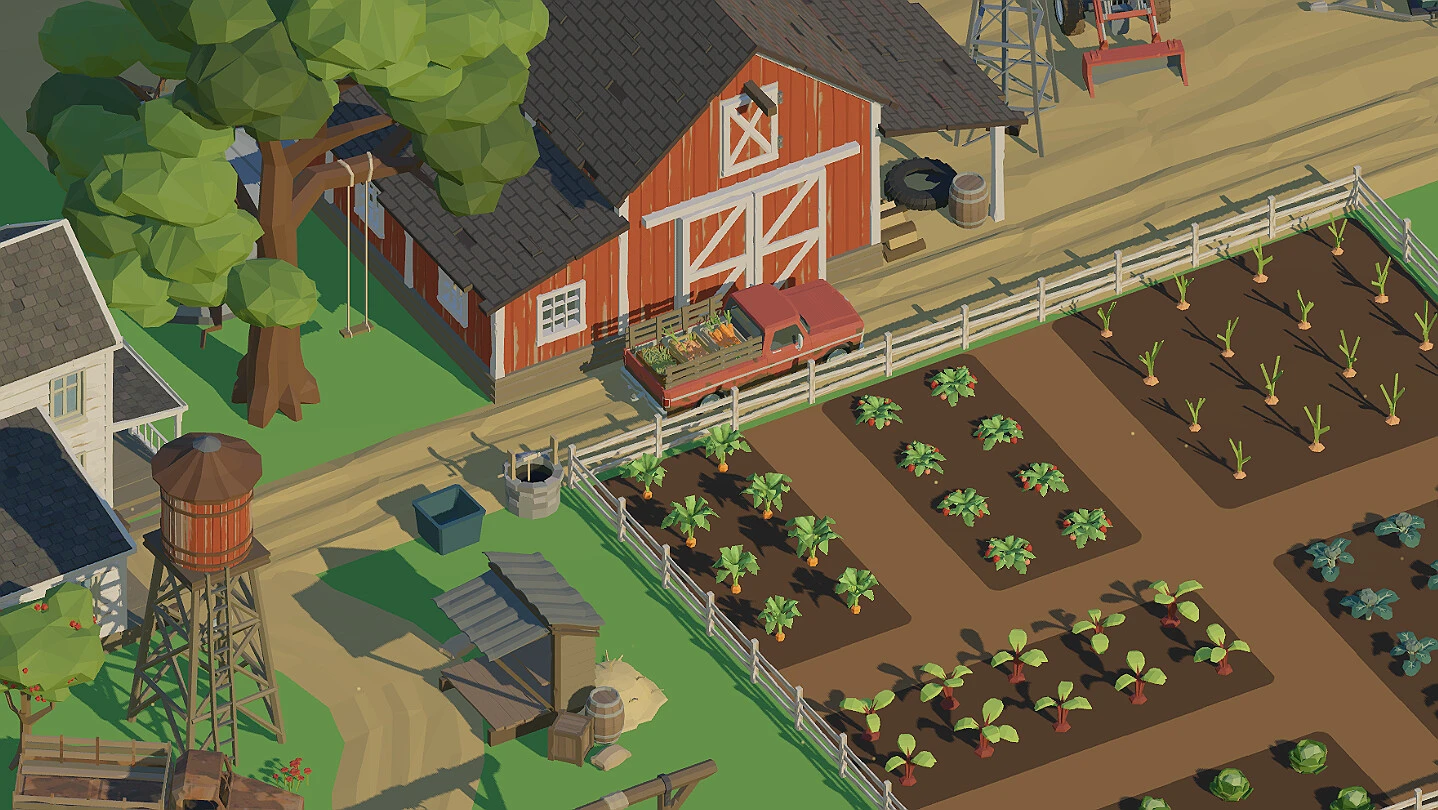
- Farm to Fortune rewards a steady plant, harvest, sell, and reinvest loop over risky early spending
- Early game: keep every plot producing with fast-cycle crops before buying upgrades
- Mid game: prioritize tool and growth-speed upgrades that affect every cycle
- Late game: expand land only after income stabilizes
- Free Demo: try the core loop on Steam before purchasing
Farm to Fortune Farm Builder Basics
Farm to Fortune, the relaxing farming simulator from developer Ctrl Alt Defeat and publisher Delayed Victory, launched on Steam on October 30, 2026, with a free demo available. Building a profitable farm comes down to one core principle: a repeatable production cycle beats any single big purchase. Every decision — what to plant, when to sell, and which upgrade to buy — should strengthen the loop you repeat dozens of times per session.
The three farm-building pillars work together:
| Pillar | Focus | Key Question |
|---|---|---|
| Production | Crops, plots, growth timing | Is every available plot active? |
| Economy | Selling, reinvesting, savings | Does this purchase pay for itself? |
| Expansion | Land, tools, capacity | Can I fill new space immediately? |
Never let a plot sit empty while you have funds. An idle plot earns nothing; even a low-value crop keeps your income loop running.
Step-by-Step Farm Build Order
Follow this sequence to take a starting plot to a thriving operation without wasting currency.
Establish the Starting Farm
Work the starting farmland immediately. Plant the crops you can afford while keeping reserve funds, and complete the opening objectives before spending on anything optional.
Build a Repeatable Crop Routine
Organize the farm around consistent planting and harvesting cycles. Fast-cycle crops build early cash flow and fund your first meaningful upgrade.
Use the Shop to Improve Production
Check the shop as progression unlocks new items. Buy improvements that support production or prepare the farm for expansion — not decoration.
Upgrade Tools and Expand
Once existing plots run consistently and cash flow is stable, upgrade tools and unlock additional land. New space is only valuable when you can fill it right away.
Buying several minor upgrades at once can delay your next profitable cycle. Spend on one high-impact improvement at a time.
Crop Strategy by Farm Stage
Crop choice is about more than sale price. Growth time, reinvestment speed, and your current capacity all matter. Use this comparison to match crops to your farm's stage:
| Crop Type | Growth Time | Sale Value | Break-Even | Best Stage |
|---|---|---|---|---|
| Fast-cycle crop | Short | Lower per unit | Fast | Early game |
| Balanced crop | Moderate | Moderate | Medium | Developing farm |
| High-value crop | Long | Higher per unit | Slow per cycle | Established farm |
Early: Cash Flow First
- Fast-cycle crops for frequent reinvestment
- Fund the first useful upgrades
- Tolerate lower per-unit profit
Mid: Steady Growth
- Balanced crops maintain rhythm
- Mix in upgrades between cycles
- Build savings for expansion
Late: Scale Up
- High-value crops on expanded land
- Longer waits become affordable
- Maximize income per plot
Sell harvests promptly to reinvest, but keep enough currency reserved for the next planting cycle and upcoming shop purchases.
Upgrade Priority Guide
The most effective upgrades are the ones you use every single cycle. Rank purchases by how often they touch your routine:
| Tier | Upgrade Type | Priority | Buy When |
|---|---|---|---|
| Early | Tools and production efficiency | High | It reduces repeated effort immediately |
| Mid | Growth speed and yield | High | Most plots are active and producing |
| Late | Shop improvements and land | Medium-High | Existing plots are fully used consistently |
Before buying, ask: "How many times per session will this improvement matter?" If the answer is rarely, postpone it.
Weather, Tasks, and Daily Routine
Weather and tasks shape your daily rhythm. Watch weather patterns to plan concentrated planting or harvesting windows, and treat tasks as a guided income stream rather than a distraction. Matching purchases and planting to current objectives keeps progression smooth.
A sample daily routine:
| Time Block | Activity | Goal |
|---|---|---|
| Start | Harvest ready crops | Convert growth to funds |
| Mid | Plant all empty plots | Keep production at full capacity |
| Mid | Check tasks and weather | Align next cycle with objectives |
| End | Sell and reinvest | Strengthen the loop for tomorrow |
Milestone Checklist
Track your farm-building progress against these essential milestones:
Farm Builder Milestones:
- Complete all opening farm objectives
- Establish a repeatable daily crop routine
- Purchase your first efficiency upgrade
- Unlock and use additional farmland
- Reach a stable income that supports expansion
New to the game? The free Farm to Fortune demo on Steam lets you test the core farming loop before committing to the full progression experience.
FAQ
Q: What is the best Farm to Fortune farm builder strategy for beginners?
Start with fast-cycle crops on your starting plots, sell promptly, and reinvest in one efficiency upgrade at a time. Expand land only after your income stabilizes.
Q: Should I expand my farm early?
No. New land is most useful when your current plots are fully productive and your cash flow can fill the extra space immediately. Early expansion often creates idle, unprofitable plots.
Q: Which crops should I plant first?
Fast-cycle crops are ideal early because they support frequent reinvestment. Shift toward balanced and high-value crops as your farm gains space and funds.
Q: Does weather affect farming in Farm to Fortune?
Weather is part of the game's systems and can influence the timing of planting and harvesting. Watch patterns and concentrate labor during favorable windows.